
Binance said its initial investigation suggests a compromised DevOps engineer's laptop let an attacker reach a service container and submit unauthorized withdrawals.
A developer laptop holds the access attackers want, and AI agents on it run with that same access.
One Laptop Can Be Enough
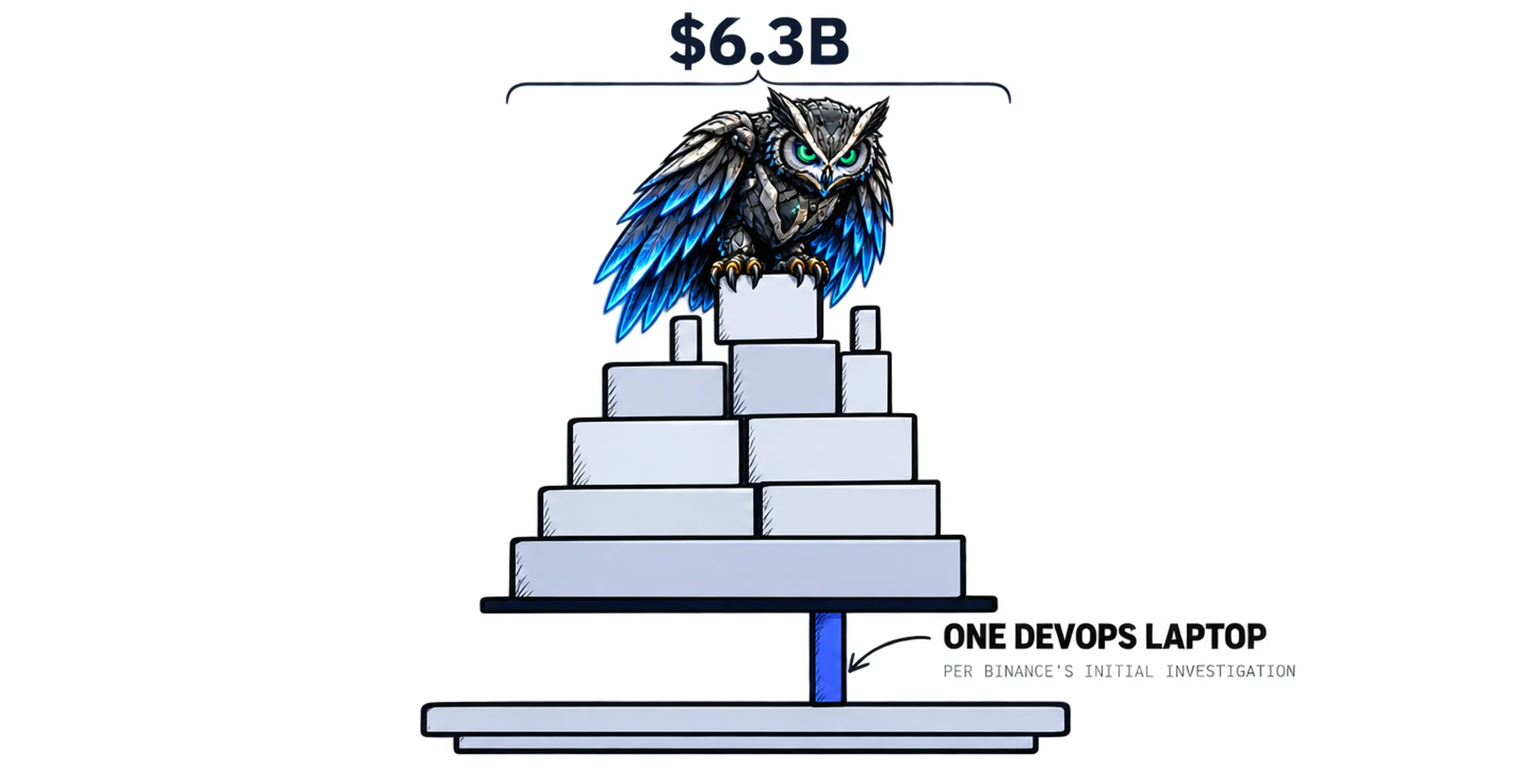
On 30 October 2026, Binance said its initial investigation suggests the security incident may involve a compromised DevOps engineer's laptop.
That laptop, it said, allowed an attacker to gain access to a service container and submit unauthorized withdrawal transactions.
Binance estimates the impact at around $6.3 billion, with about $3 billion frozen on-chain. It found no evidence of any wallet private key leak and says it will cover all losses.
CoinDesk reported it as the largest crypto hack to date.
On 30 October, Binance had not said how the laptop was compromised or that AI was involved. Its 3 November report says an AI coding tool was the lure in June and an internal AI tool was used on 20 October. This post looks at the part we could see on 30 October: the laptop.
A developer laptop is where the keys live. It is also where AI tools run. Microsoft and LinkedIn's Work Trend Index found that 78% of AI users are bringing their own AI tools to work.
A Cloud Security Alliance survey found that 53% of organizations have had AI agents exceed their intended permissions. It drew 445 responses from IT and security professionals.
The laptop holds the keys. The AI agents on it hold the same keys.
What Does a Compromised Developer Laptop Give an Attacker?
A compromised developer laptop gives an attacker what the developer can reach: containers, tokens, repositories and cloud consoles. Any AI agent, MCP server or skill on that laptop runs with the same reach.
The attacker inherits both, so security teams need to know what AI runs on developer devices and what each one can reach.
It comes down to five jobs:
- Find every AI agent, MCP server and skill on developer devices, including the ones engineers installed themselves.
- Trace who or what each one runs as, and what it can reach.
- Block risky skills before they install.
- Decide allow, ask or deny for what an agent may do, team by team.
- Record the evidence for audit.
Source: Binance's statement on X, 30 October 2026, and CoinDesk's report.
What Does AIBound Do About It?
AIBound finds the AI agents, personal agents, MCP servers, skills, models, apps and prompts your employees run, shows what each one can reach, and stops the high-risk ones in real time.
So on every device it is deployed to, AIBound:
- Finds every AI agent, MCP server and skill on the device, including the ones engineers installed themselves.
- Grades every resource from A to F, on evidence.
- Traces who or what each agent runs as, and what it can reach.
- Stops the high-risk ones in real time.
- Sends the evidence to your GRC program, mapped to the EU AI Act, NIST AI RMF and ISO/IEC 42001, so the board and the auditor get the record after it happens.
So when something happens, you are not reconstructing it. You already know what AI is there and what it can reach, and the evidence is already with your GRC program.
Picture a DevOps engineer.
On Tuesday an AI coding agent gets access to a repository and a local MCP server. Nobody on the security team is told.
On Wednesday the laptop is compromised, and the attacker gets the engineer's keys and the agent's reach.
Your office has a visitor log. That laptop doesn't. AIBound is the front desk for the AI on it: it signs every agent in, shows what each one can reach, and stops the high-risk ones in real time.
Binance's report puts AI at the start and in the middle of the attack, but it has not named the internal AI tool or said where it ran, so nobody outside Binance can say what would have happened. If a high-risk AI agent was in the path on a laptop, that is the job we do, in real time.
Why It Matters Now
Three points matter most.
1. The way in was a person's machine
Binance's initial investigation points to a laptop, not a wallet key. The access that mattered was the access the laptop had.
2. Agents inherit access
One in two organizations has had an AI agent exceed its intended permissions. On a developer's device, the permissions are the developer's.
3. The facts will change
Binance published an initial incident report on 3 November and says an independent expert will review its response. Its detailed post-mortem is still to come. We will update this post when it is published.
How to Get Started with AIBound
- Pick a test group. Start with DevOps and platform engineers. Their devices reach the most.
- Find the AI on those devices and what each one can reach. AISeeker and AgentTracer do this read-only.
- Decide allow, ask or deny for the high-risk ones. AgentHarness sets those rules inside the agent, and the high-risk ones are stopped in real time.
- Send the evidence to the GRC program you already run.
AIBound is an Enterprise AI Security Platform for AI Usage Control (AIUC) at the endpoint. It finds the AI your employees run, stops the high-risk ones in real time, and integrates with your GRC program.
Find the AI on Your DevOps Laptops
Binance's report says AI was involved: an AI coding tool as the lure and an internal AI tool as the springboard. The question for your own team is the same: what AI runs on your DevOps laptops, and what can it reach?
Frequently asked questions
What did Binance say happened?
On 30 October 2026 Binance said its initial investigation suggests the incident may involve a compromised DevOps engineer's laptop, which allowed an attacker to gain access to a service container and submit unauthorized withdrawal transactions.
It estimated the total impact at around $6.3 billion, with about $3 billion frozen on-chain, and said it found no evidence of any wallet private key leak.
Did Binance say AI was involved?
Yes, since 3 November. Binance's initial incident report says an engineer was lured into installing a tampered package while looking for an AI coding tool in June, and that attackers used an internal AI tool on 20 October to reach two more engineers' computers. When this post was first published on 30 October, Binance had not said AI was involved. It has not named the tool.
Would AIBound have stopped this?
Nobody outside Binance can say. Binance has not named the internal AI tool or said where it ran. AIBound is not a malware scanner and does not replace EDR. If a high-risk AI agent was in the path on a laptop, stopping it in real time is what AIBound does. On any compromised device, AIBound shows you what AI came with it and what each agent can reach.
How do I find the AI agents on our developer laptops?
Install takes 15 minutes. Discovery is read-only, so nothing changes on the device. Start with a test group of DevOps and platform engineers, then widen it once the list looks right.

About AIBound
AIBound is an Enterprise AI Security Platform for AI Usage Control (AIUC) at the endpoint, where your employees' AI already runs: the agents, MCP servers, skills, models, apps, and prompts most security stacks can't see.
Founded by a 5x Global CISO: the former Global CISO of Palo Alto Networks and Chief Trust Officer of Workday.
Install takes 15 minutes. AIBound stops high-risk AI in real time.Book a Demo →