
01
Rules live in a document
A rule on a wiki page does nothing at the moment an agent runs a command. Nothing connects the policy to the action.
Layer 04 · Stop
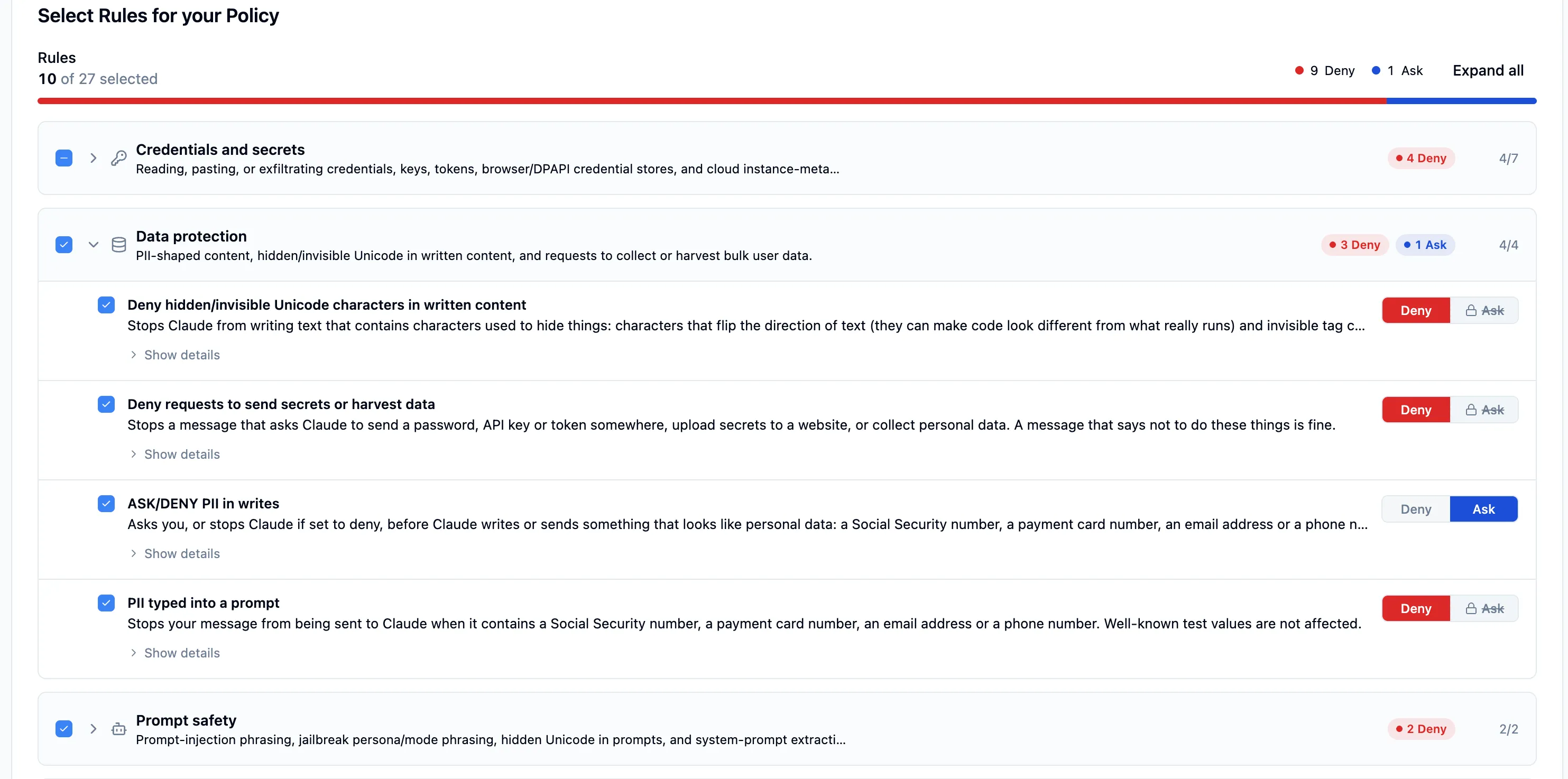
AgentHarness sets AI agent guardrails as plain-English policy. You write the rule the way you would say it, AIBound checks it, and the agent applies it to every action it tries: allow, ask or deny. The rule runs inside the agent, so employees cannot switch it off, and a change takes effect without a reinstall.
The problem
AI agents run commands, read files and call tools on an employee's device, with that employee's access.
What it does
AgentHarness turns your rules into policy and delivers it to the agent. The agent enforces it on every action, and an AI Kill Switch stops a rogue agent on every endpoint.
How it works
Your admin types the rule. AIBound turns it into a policy and checks it before it goes anywhere.
Choose the whole company, a team or one laptop. AIBound safety defaults stay on for every tenant.
The agent reads the policy and applies it to every action: allow it, ask the user, or deny it.
What you see
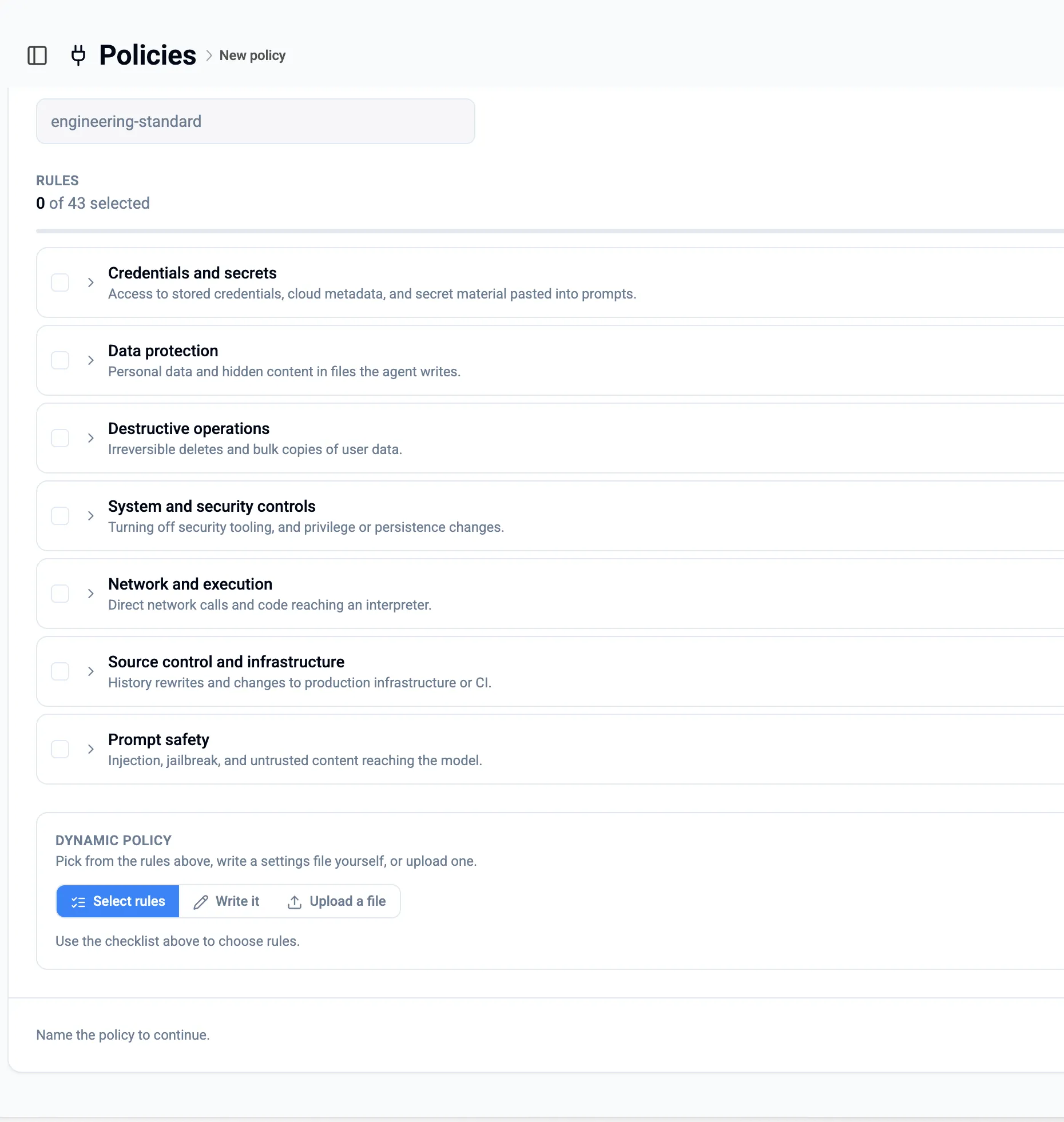
The AgentHarness policy screen shows every rule and the action it sets.
Who uses it
Four roles use AgentHarness to put the company's rules inside the agents its employees run.
What this looks like in practice
We didn't know 47 employees were running it. AIBound flagged it and blocked it the same afternoon.
A CISO at a European bank.
FAQ
AI agent guardrails are rules that limit what an AI agent may do on an employee's device: which commands it may run, which files it may read and where it may send data. AgentHarness sets AI agent guardrails as plain-English policy, and the agent enforces them on every action with allow, ask or deny.
AIBound writes and delivers the policy, and the agent enforces it. Claude Code reads the policy and applies it to each action, so a command is allowed, put to the user or denied before it runs. Employees cannot switch the policy off, and updates apply without a reinstall.
An AI Kill Switch stops a rogue agent on every endpoint at once. When the security team sees an agent behaving badly, one action ends it across the company instead of device by device. The AI Kill Switch is part of AgentHarness, alongside the allow, ask or deny rules.
No. The policy runs inside the agent, not in a tool the employee controls. An employee cannot switch it off, and AIBound safety defaults stay on for every tenant. Your admin can change a rule for the company, a team or one device, and every change is saved so it can be rolled back.
AgentHarness policy is enforced natively by Claude Code, by IDE agents and by CLI agents, on macOS and Windows. AIBound writes the policy once and delivers it to each. It works with the tools your IT team already uses to roll out apps, so there is no new agent to run.
AIBound blocks the high-risk AI on every employee device, in real time. The 14-day trial needs no proof of concept.
