
Solution · Stop
Stop a rogue AI agent on every device with one action
An AI agent can run commands, read files and use credentials without anyone watching. When one goes rogue, every minute adds risk. The AI Kill Switch in AIBound's AgentHarness lets your security team end the agent on every endpoint at once, in real time, with a human in control.
The problem
How do you stop a rogue AI agent on every device at once?
Every factory machine has a big red stop button. Your AI agents run on employee devices, and the fastest way to stop one today is to find it and shut it down by hand.
How we solve it
One AI Kill Switch for every agent on every device
AIBound works on the device where the agents run. It finds them, sets the rules they follow and gives your security team one action that stops a rogue one.
-
See every agent
AISeeker finds the coding agents, desktop assistants and personal agents on each employee device, with the person who runs each one. AgentTracer shows what each agent can reach. Install takes 15 minutes.
-
Allow, ask or deny
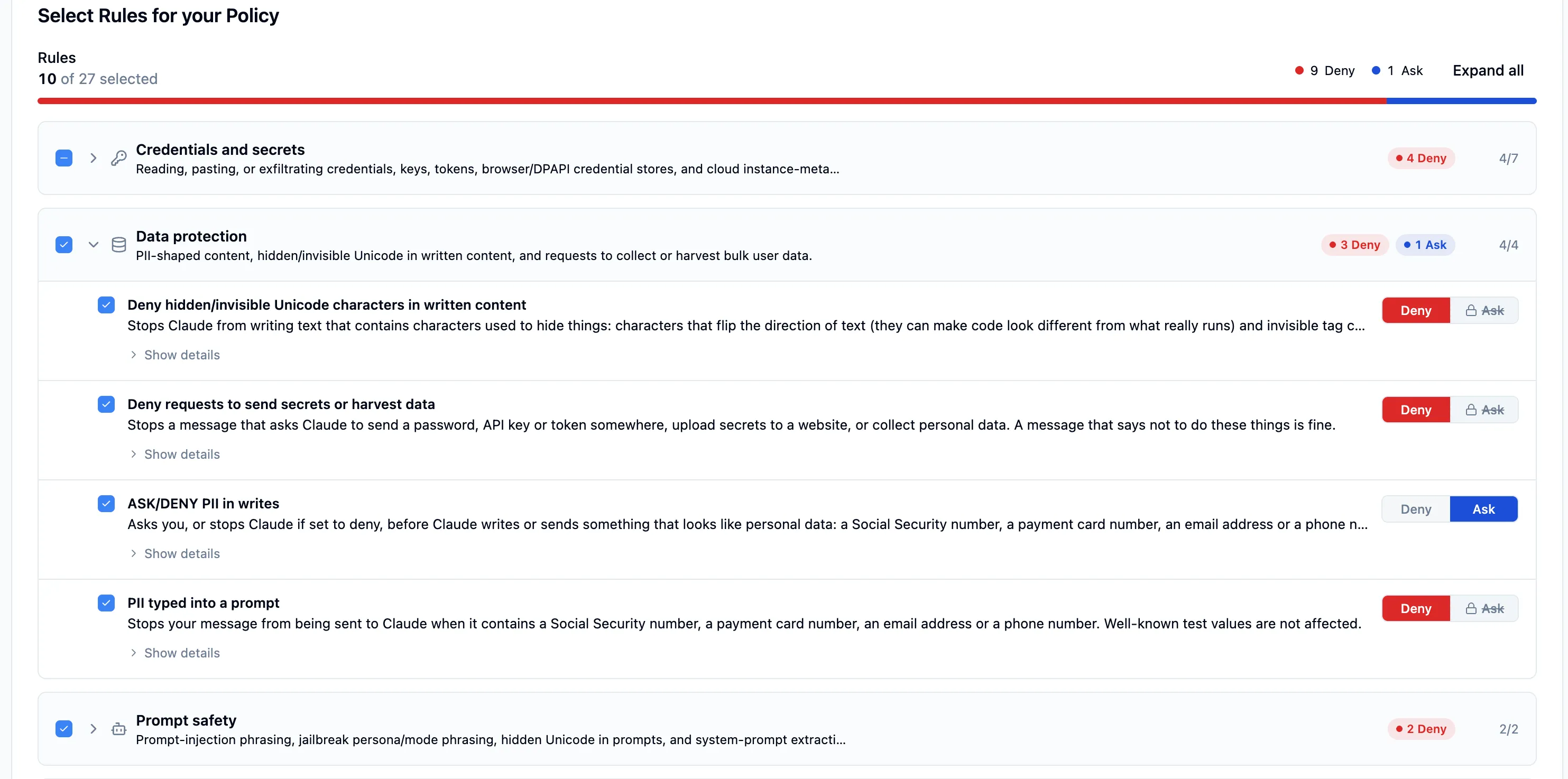
AgentHarness enforces your rules inside the agent. Each action is allowed, put to the user as a question, or denied, in real time. Employees cannot switch the rules off.
-
Stop it everywhere
When an agent still goes wrong, someone on your security team takes one action. The AI Kill Switch stops it on every endpoint at once, in real time, and the action is logged as evidence.
What you get
One action that ends a rogue agent everywhere
The AI Kill Switch is part of AgentHarness. It sits behind your allow, ask or deny rules as the emergency stop.
What this looks like in practice
At a U.S. regional bank, AIBound catalogued 143 AI agents on employee devices, graded OpenClaw F on sight and blocked it the same day. 0 records were exfiltrated before containment.
At a SaaS company, a coding agent called DevPilot ran on a service account with admin access across 14 code repositories. AIBound showed its 2 admin scopes and restored least privilege before anything was touched.
These two cases used discovery, reach mapping and policy. The AI Kill Switch is the emergency stop that sits behind them.
Read the OpenClaw case study →Which products
Which products do this
Three AIBound products work together to stop a rogue agent. Each links to its page.


FAQ
Frequently asked questions
Does AI have a kill switch?
An agent is software that runs on an employee's device, so stopping a rogue agent usually means finding it and shutting it down device by device. AIBound's AI Kill Switch gives your security team one action that stops a rogue AI agent on every endpoint at once.
What is an AI Kill Switch?
An AI Kill Switch is the emergency stop for an AI agent. In AIBound it is part of AgentHarness. When your security team sees an agent behaving badly, one action ends it on every endpoint at once, in real time, instead of device by device.
How do you stop a rogue AI agent?
Use two layers. Rules inside the agent deny dangerous actions as they are tried, such as a destructive command or a credential read. If an agent still goes wrong, the AI Kill Switch stops it on every endpoint at once. A human on your security team makes the call.
Who triggers the AI Kill Switch?
A person on your security team. AIBound does not pull the switch on its own, so a human stays in control of the decision. The action is logged as evidence for your GRC program, so you can show who stopped which agent and when.
Can employees turn the AI Kill Switch or the rules off?
No. The rules run inside the agent, not in a tool the employee controls, and AIBound safety defaults stay on for every tenant. Your admin can change a rule for the company, a team or one device, and every change is saved so it can be rolled back.
Is the AI Kill Switch the same as a deny rule?
No. A deny rule blocks one action ahead of time, such as a risky command. The AI Kill Switch stops a whole agent after it has already gone wrong. Rules lower the chance of a problem and the switch limits the damage when one still happens. Most teams want both.
More solutions
