
01
Gateways miss local AI
A local model or a coding agent runs on the device. It never crosses the network tool you watch, so it never shows up in a log.
Layer 01 · See
AISeeker is AI discovery for employee devices, and layer 01 of the AIBound platform. It finds the AI agents, personal agents, MCP servers, skills, models and extensions your employees run on their devices, in real time. What AISeeker finds is what AIBound can stop and govern, so no high-risk AI runs unseen.
The problem
Most security teams learn about employee AI from a tool bill, an audit or an incident. By then it has been running for a while. 78% of AI users bring their own AI tools to work (Microsoft and LinkedIn, 2024).
What it does
AISeeker reads each device and shows what is installed, who runs it and what it can reach. Each finding is graded A to F, so the high-risk AI stands out from the start.
How it works
IT pushes the AIBound Secure Client to employee devices like any other app. There is no new agent to run.
It reads each device and updates what it finds as AI appears or changes.
Set a policy to allow, ask or deny. AgentHarness enforces it inside the agent, and AIAssure keeps the evidence.
What you see
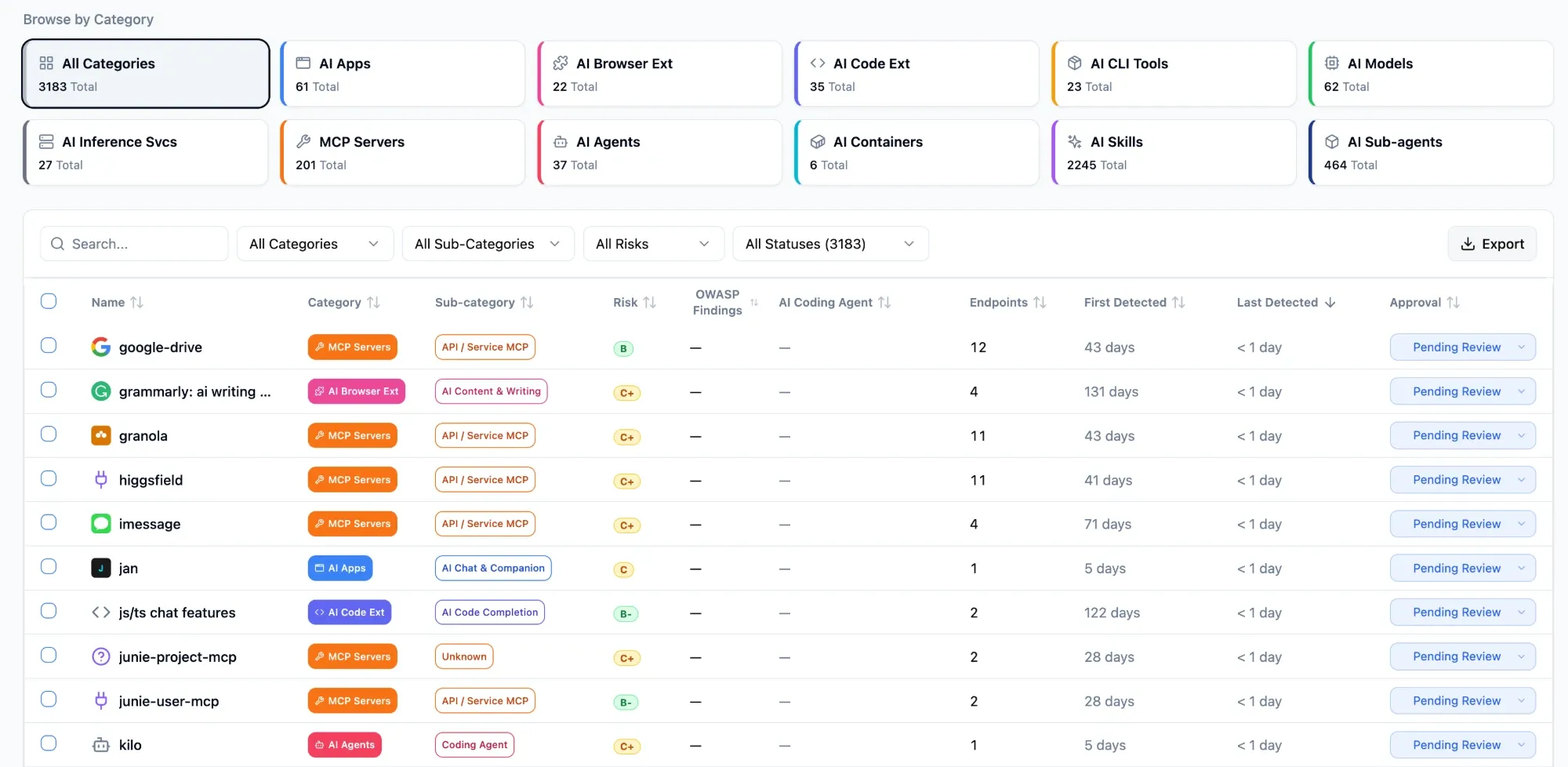
The AIBound console lists every AI resource found, by category and risk grade.
Who uses it
Four roles use AISeeker to answer one question: what AI do our employees run?
What this looks like in practice
We didn't know 47 employees were running it. AIBound flagged it and blocked it the same afternoon.
A CISO at a European bank.
FAQ
AISeeker finds the AI agents, personal agents, MCP servers, skills, sub-agents, models, AI apps, prompts and IDE extensions that your employees run on their devices. Each one shows the device, the person and what it can reach, so security can see where the AI inventory needs action.
Look at the device, not the network. Shadow AI such as local models and coding agents often never crosses a gateway. AISeeker reads each device in real time and lists the AI it finds, so security can see which tools are unapproved and what to allow, ask about or deny.
No new agent. IT pushes the AIBound Secure Client to employee devices like any other app, and install takes 15 minutes. AISeeker then reads the device and reports what it finds. It collects tool metadata only, with no PII or PHI, so it does not read what employees type.
No. AISeeker finds the AI itself: which agents, MCP servers, skills and models are present. It collects tool metadata only, with no PII or PHI. It does not read prompts or page content, and it does not block anything inside the browser. Blocking happens inside the agent, through AgentHarness.
You decide. Each finding can be allowed, asked about or denied under a policy you set. AgentHarness enforces that policy inside the agent in real time, and AIAssure records every decision as evidence for your GRC program, so the AI AISeeker finds does not stay a list.
AIBound blocks the high-risk AI on every employee device, in real time. The 14-day trial needs no proof of concept.
