
Solution · Stop
MCP security: find and control every MCP server on employee devices
An MCP server lets an AI agent reach tools, data and internal systems. Employees install them on their own devices, often without a review. AIBound finds every MCP server on the device, shows what each one connects to, and applies your rules inside the agent, in real time.
Customer result
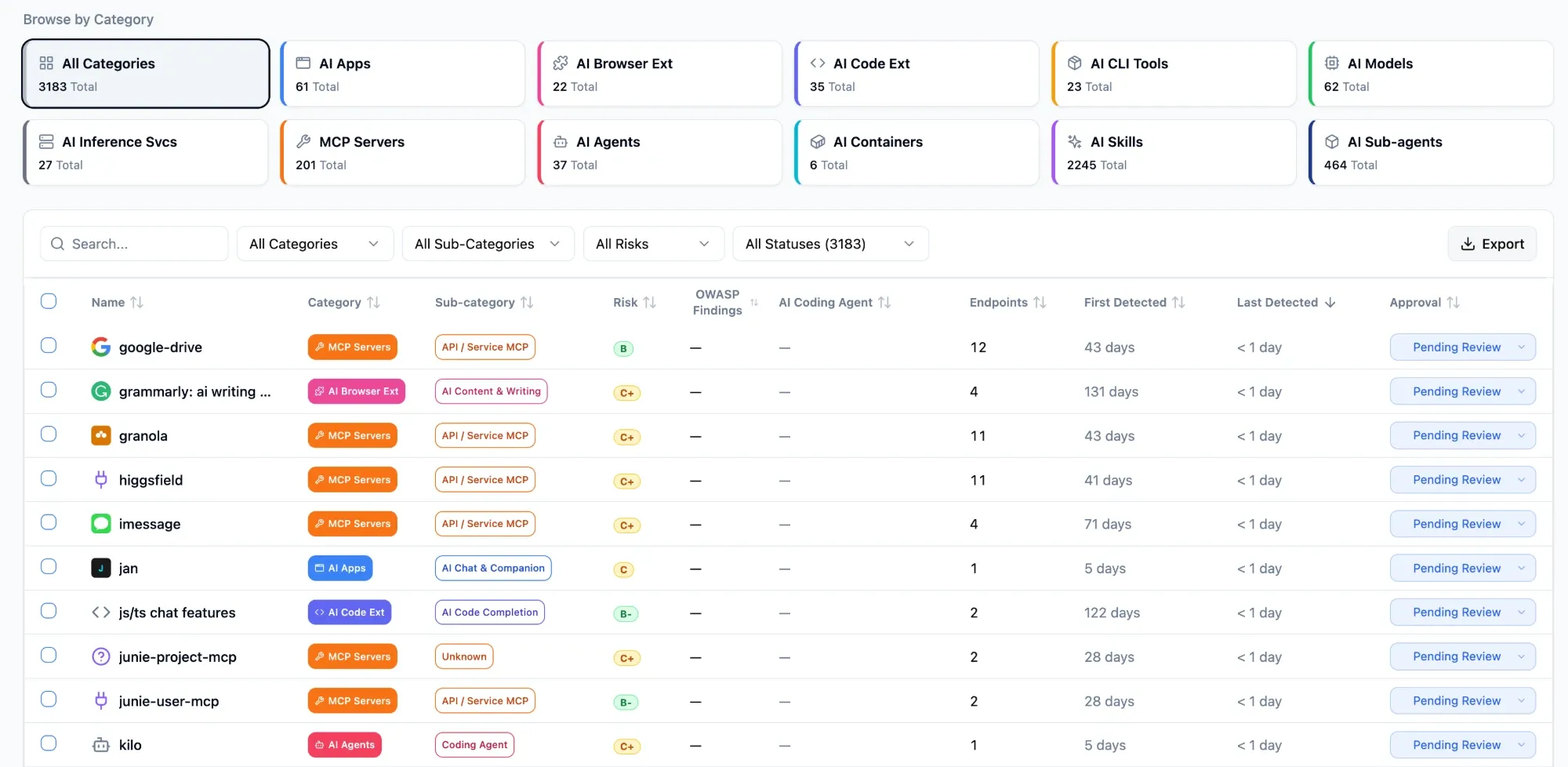
7,004 MCP servers found across 10,000 laptops in one scan.
The problem
How do you secure MCP servers that employees install on their own devices?
An MCP server connects an AI agent to the tools around it. Anyone can add one in minutes.
How we solve it
MCP security on every employee device
AIBound reads the device where MCP servers are installed, so it finds the ones that never touch your gateway.
-
Find every MCP server
AISeeker finds each MCP server on every employee device, with the person who runs it and what it connects to. Install takes 15 minutes.
-
See what each one reaches
AgentTracer maps who or what the agent runs as, and which systems each MCP server is wired into.
-
Ask or deny the risky ones
AgentHarness enforces policy inside the agent: allow, ask or deny. SkillGuard blocks risky skills at install.
What you get
Every MCP server found, mapped and under your rules
Each finding shows the server, the person who runs it and the systems it connects to. Then you set the rule.
What this looks like in practice
We didn't know 47 employees were running it. AIBound flagged it and blocked it the same afternoon.
A CISO at a European bank.
Which products
Which products do this
Four AIBound products secure MCP servers together.
 AISeeker Finds every MCP server on employee devices, and what it connects to. See AISeeker →
 AgentTracer Maps what each MCP server is wired into, and how far it could reach. See AgentTracer →
 AgentHarness Enforces policy inside the agent: allow, ask or deny. See AgentHarness →
 SkillGuard Reads every skill like an attacker and blocks the risky ones at install. See SkillGuard →
FAQ
Frequently asked questions
What is MCP security?
MCP security is how a company controls the MCP servers that AI agents connect to. An MCP server can give an agent access to repos, data and internal systems. AIBound finds the MCP servers on employee devices, shows what each one connects to, and sets rules inside the agent so risky ones are asked about or denied in real time.
How do I find MCP servers on developer laptops?
Look at the device. AISeeker finds MCP servers on employee devices, along with the agents that use them and the skills they load. Each one shows who runs it and what it connects to, so SecOps can see which laptops run an MCP server and which need action. Install takes 15 minutes.
What are the main MCP security risks?
The main MCP security risks are servers nobody approved, servers wired into sensitive systems, and skills with hidden instructions. A community MCP server can give an agent direct access to HR or source code systems. AIBound finds the server, maps what it connects to and applies your rule, so each risk gets an owner and an action.
Can I block an MCP server I do not trust?
Yes. Set a policy and AgentHarness enforces it inside the agent: allow, ask or deny. A community MCP server can be set to ask, and a risky one to deny. The skills that come with a server are read at install, and SkillGuard blocks the risky ones. Users cannot switch the policy off.
Do I need a new agent to find MCP servers?
No new agent. IT pushes the AIBound Secure Client to employee devices like any other app, and install takes 15 minutes. It reads the device and collects tool metadata only, including each MCP server's name and what it connects to, with no PII or PHI. It does not read prompts or documents.
More solutions
